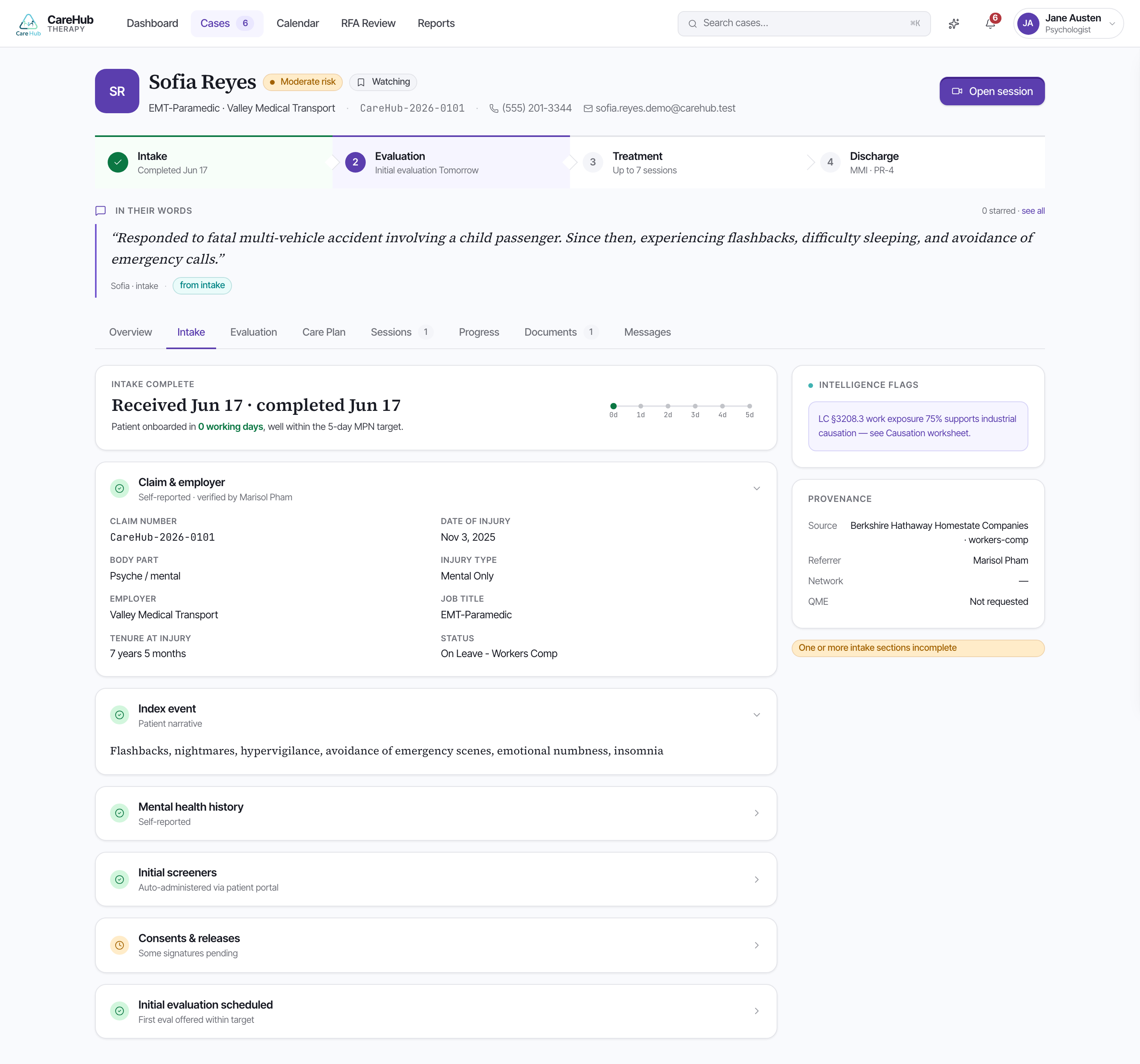
Before you sit down with Sofia, you read what she has already told the platform. The case overview orients you first: a lifecycle stepper runs Intake → Evaluation → Treatment → Discharge so you always know where the case stands, an "In their words" block carries the patient's own quotes, and a clinical snapshot pins the PHQ-9, the GAD-7, and the SI/HI screen at the top. For Sofia that snapshot opens with a PHQ-9 of 17 and a GAD-7 of 16 — moderately severe territory you'll want to ground the evaluation in.
The Intake tab holds the full structured record. A completeness banner tells you how much of the intake is actually answered, so you know whether a blank field means "no" or "not yet asked." Each fact carries provenance — source attribution showing where it came from — so a self-report and a referral document are never silently conflated.
CareHub IntelligenceThe platform capability that organizes, flags, and cites the clinical evidence already in the record so you can investigate it efficiently.Threaded through the record are CareHub Intelligence flags: signals worth following up at the evaluation. For Sofia these might be a positive PHQ-9 Item 9, a possible substance-use pattern, or a candidate non-industrial stressor the platform noticed in her answers.
A flag points you at evidence; it does not diagnose, and it does not determine causation. CareHub Intelligence organizes what Sofia reported — you decide what it means in the room. A positive Item 9 flag means "ask about this," not "she is at risk."
Read the intake the way you'd read a referral packet from a careful colleague: take the flags as the agenda for your evaluation, check each one against its source, and let the completeness banner tell you where the silences are.
The intake shows a CareHub Intelligence flag for a positive PHQ-9 Item 9. What is the right way to use it?