
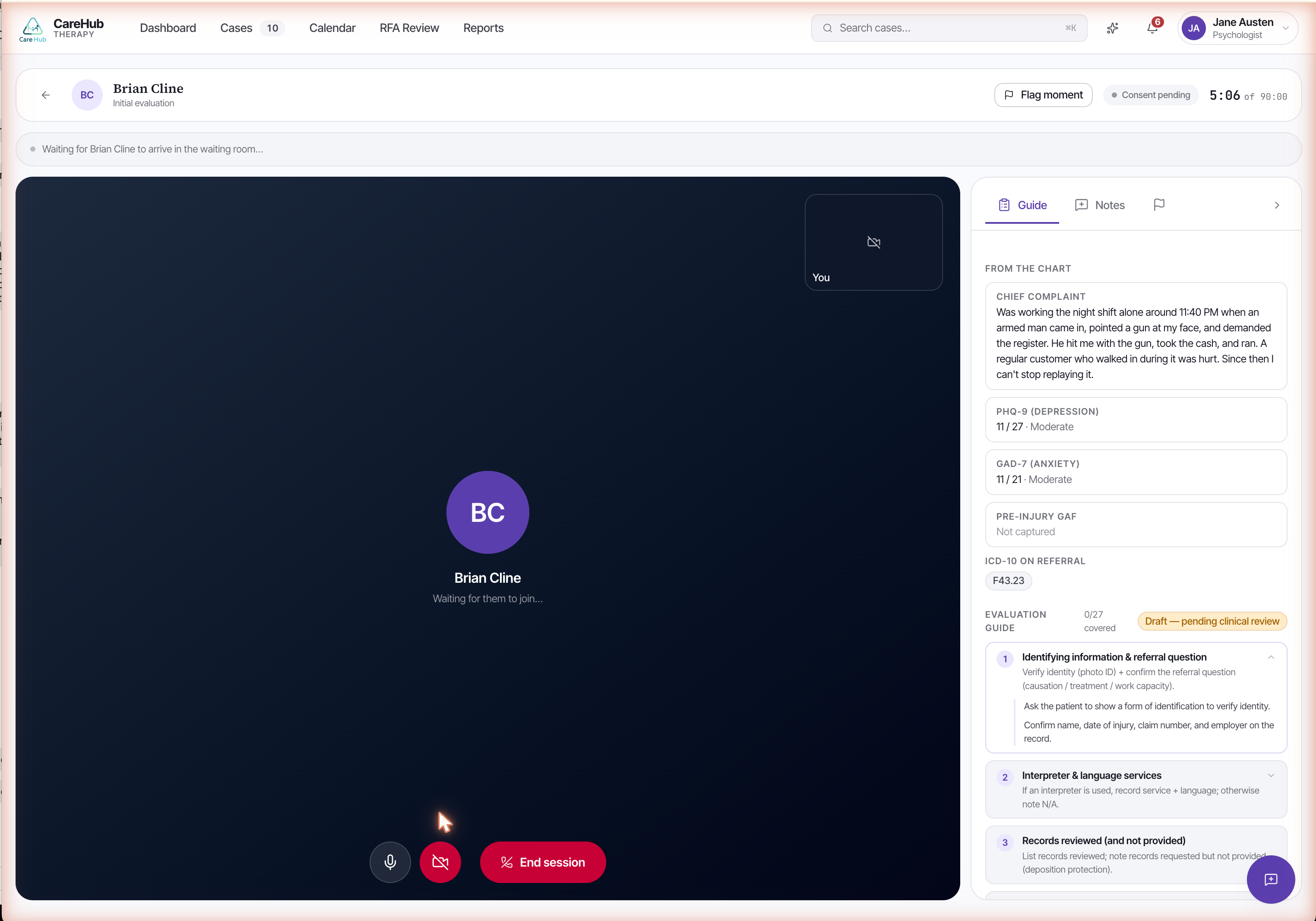
Sessions run inside CareHub's built-in telehealth. There is no separate video app to launch and no link to juggle — the call and the chart are the same surface. The member joins from their portal; you join from the case.
The side panel carries the structured note spine, so you document as you go rather than reconstructing the hour from memory afterward. When something clinically important happens — a disclosure, a shift in affect, a safety statement — you use Flag moment to capture that point with its timestamp. The flag lets you mark the moment without breaking eye contact or stopping to type a paragraph; you return to it when you compose the note.
Flag momenta one-tap capture that bookmarks a clinically important point in the session with its timestamp, so you can document it later without interrupting the work.After the call you compose a structured SOAP note — Subjective, Objective, Assessment, Plan — filling the mental-status and risk fields the progress report will later need. You capture the per-session GAF here, one of the four timepoints the regulations expect across the case. Then you sign.
The signature locks the note — it can no longer be edited — and authorizes the next session in the authorized course. An unsigned note leaves the record open and the next session ungated. Sign promptly while the session is fresh.
- Join the built-in telehealth room from the case; the member joins from their portal.
- Document as you go on the structured note spine in the side panel.
- Use Flag moment to bookmark clinically important points with their timestamps.
- After the call, compose the SOAP note — Subjective, Objective, Assessment, Plan — with the mental-status and risk fields.
- Capture the per-session GAF.
- Sign to lock the note and authorize the next session.
For Sofia, an early session might earn a flag at the moment she first describes the collision in detail — a marker you expand in the Subjective and Assessment sections, with her per-session GAF logged before you sign.
What happens when you sign the SOAP note?